Getting Oriented¶
A quick tour of the interface so you know where everything is before you start.
Opening the Engine¶
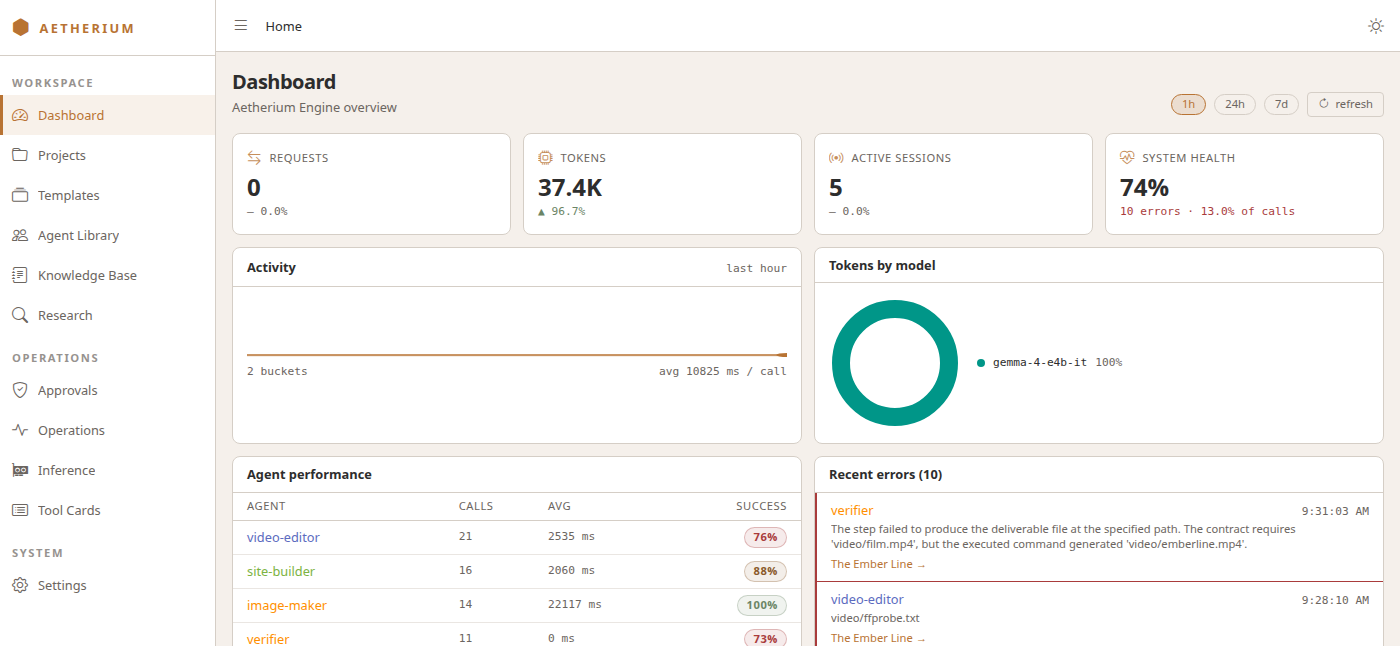
Open your browser to the Engine's address — by default http://localhost:5257/app. The app loads with a sidebar on the left and the Dashboard in the middle.
The top bar¶
Across the top you'll find:
- A collapse button (the hamburger icon) to widen the workspace by hiding the sidebar.
- A breadcrumb showing where you are — Home / Projects / your project / Studio, for example. Each part is a link.
- A light/dark theme toggle (the moon icon) at the far right.
The sidebar¶
The sidebar is grouped into three sections. The brand mark AETHERIUM sits at the top, and the copper rail marks the screen you are on.
Workspace — where you'll spend your time¶
| Link | What it's for |
|---|---|
| Dashboard | Requests, tokens, active sessions and system health over the last hour, day or week; agent performance; recent errors |
| Projects | Your projects as cards: create one, open any of its screens, or delete it |
| Templates | The catalog of ready-made teams (Workflow Templates) |
| Agent Library | The roles teams are built from, team by team: each one's prompt, tools and model, and the templates that use it |
| Knowledge Base | Reference documents your agents can search, and whether the search index is healthy |
Operations¶
| Link | What it's for |
|---|---|
| Approvals | Tool calls that are paused waiting for a human's go-ahead |
| Operations | Five tabs for whoever runs the machine: the security log of every tool call, the containers and host ports, the chat clients using the relay, service health, and the model registry |
| Tool Cards | A gallery showing how each kind of tool result is drawn — a reference, not something you need day to day |
System¶
Settings is the Engine's live configuration, edited one key at a time. See Settings & management.
A project is a place¶
Open any project and a project bar appears under the top bar. It is the same on every project screen and has six destinations:
| Tab | What it's for |
|---|---|
| Studio | Message the team and watch the conversation |
| Designer | The team as a graph: agents, their wiring, and the topology |
| Monitor | Where every agent stands right now, and a live feed of what just happened |
| Runs | Every run of this project, and the full trajectory of each |
| Versions | The history of every edit to the team, with restore |
| Settings | The project's own record — name, description, tier, workspace path |
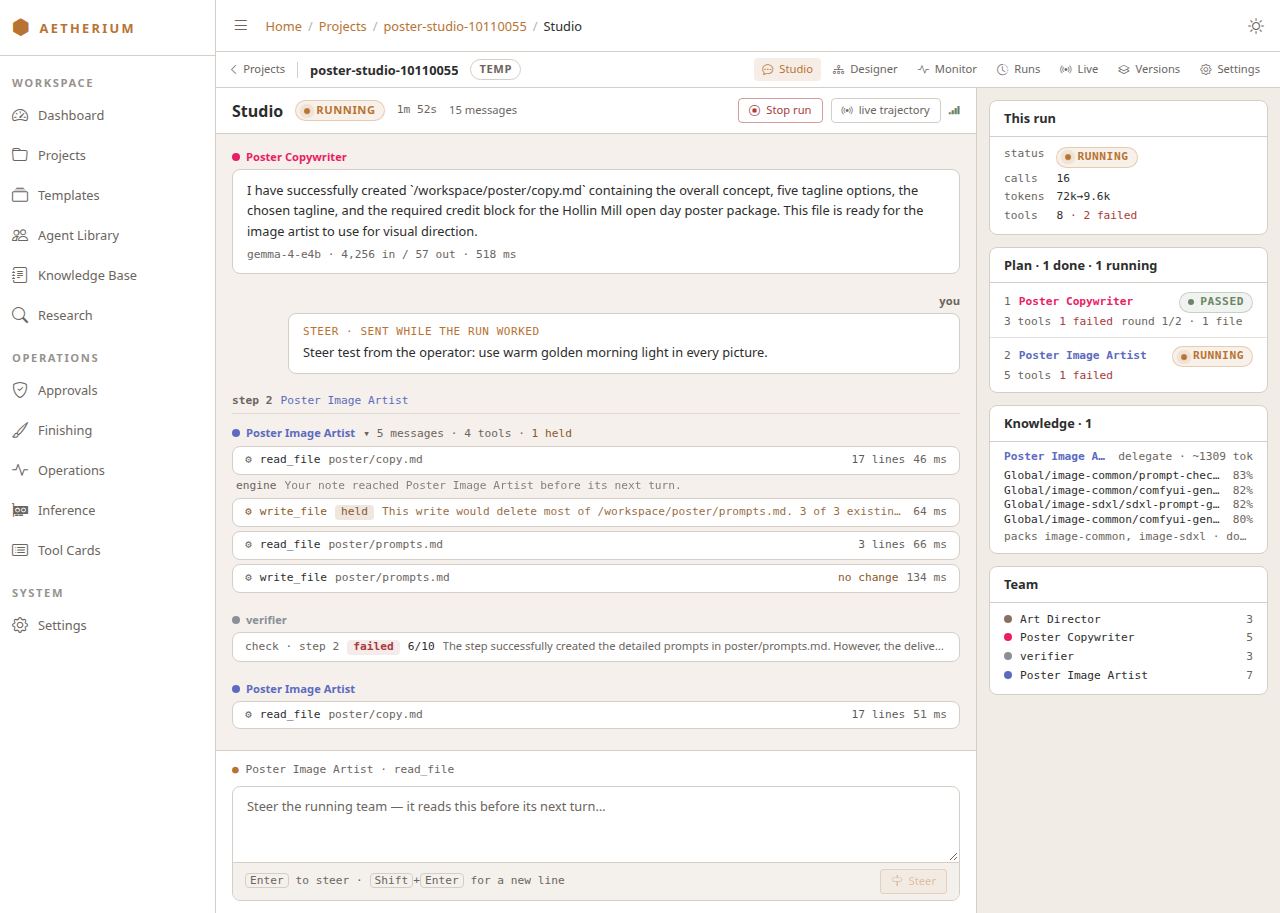
The bar also remembers which project you were in, so the sidebar can bring you back from a global page. The next pages walk through each part of the flow.
→ Curious what a "team", "topology", or "agent" actually is under the hood? §04 — Core Concepts explains the ideas. You don't need it to use the Engine.